 Tselora
"I cannot tell what has been ordered, received, invoiced and paid."
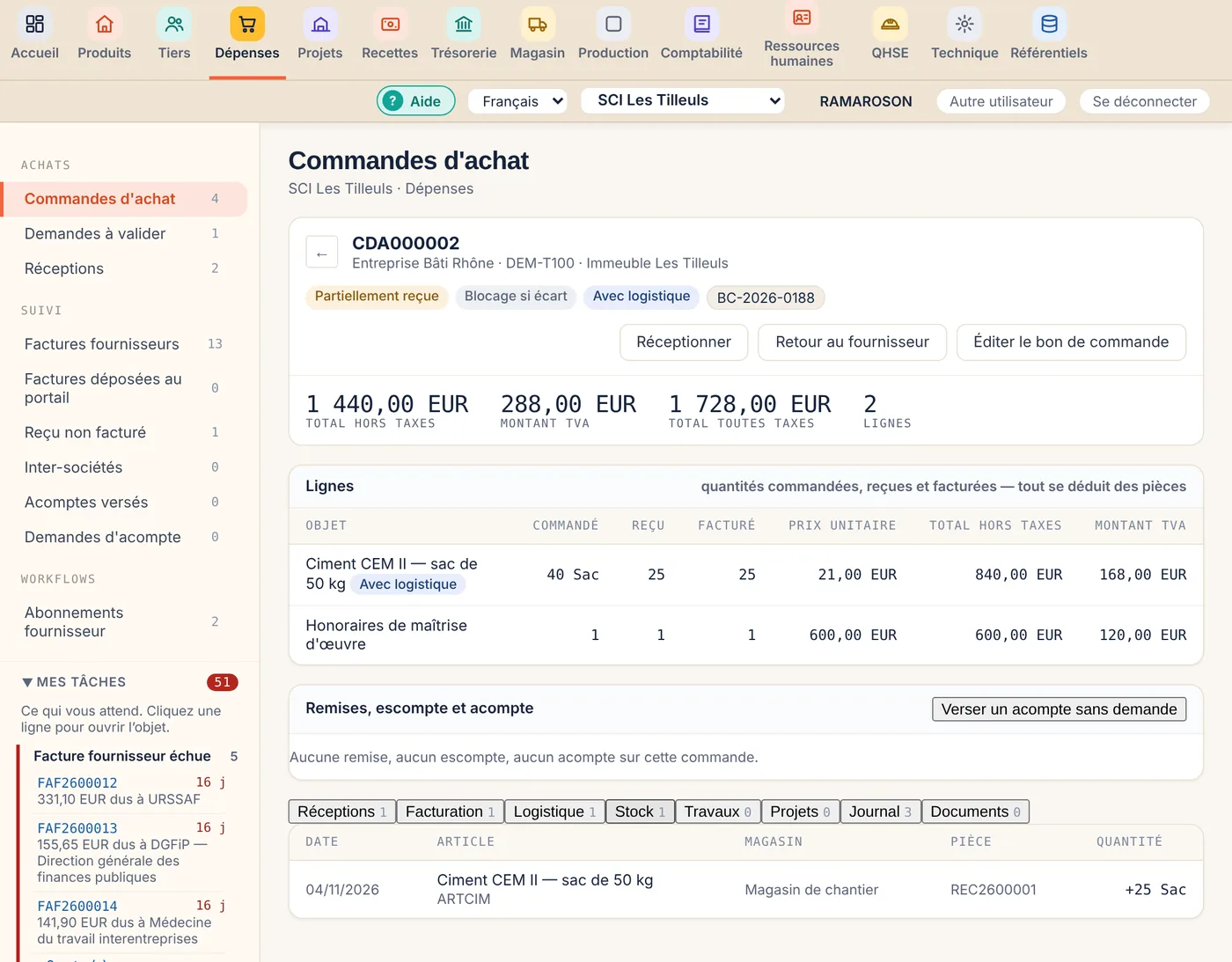
Four quantities on every lineEvery order line shows ordered, received and invoiced quantities. Everything is derived from the documents: nobody keeps a side spreadsheet.
Tselora › Purchasing and inventory
Order, receipt and invoice follow one another on the same document. Tselora reads the invoice received, matches it to the order and only stops you when an amount does not agree.

Screens shown in French. The interface is also available in English, user by user.
"I cannot tell what has been ordered, received, invoiced and paid."
Four quantities on every lineEvery order line shows ordered, received and invoiced quantities. Everything is derived from the documents: nobody keeps a side spreadsheet.
"Entering supplier invoices takes me days."
The invoice is read for youDrop a PDF, an image or a whole folder. An invoice that matches its order exactly is recorded directly. You only check the differences.
"We sometimes pay invoices for goods never received."
Blocked for payment until receivedAn invoice that arrives before the goods is recorded but blocked. The block lifts by itself once the receipt covers it. A price difference still has to be released by treasury.
On the order: receipts, invoicing, stock, logistics and accounting entries. You receive partially, return to the supplier or print the purchase order from the same record.
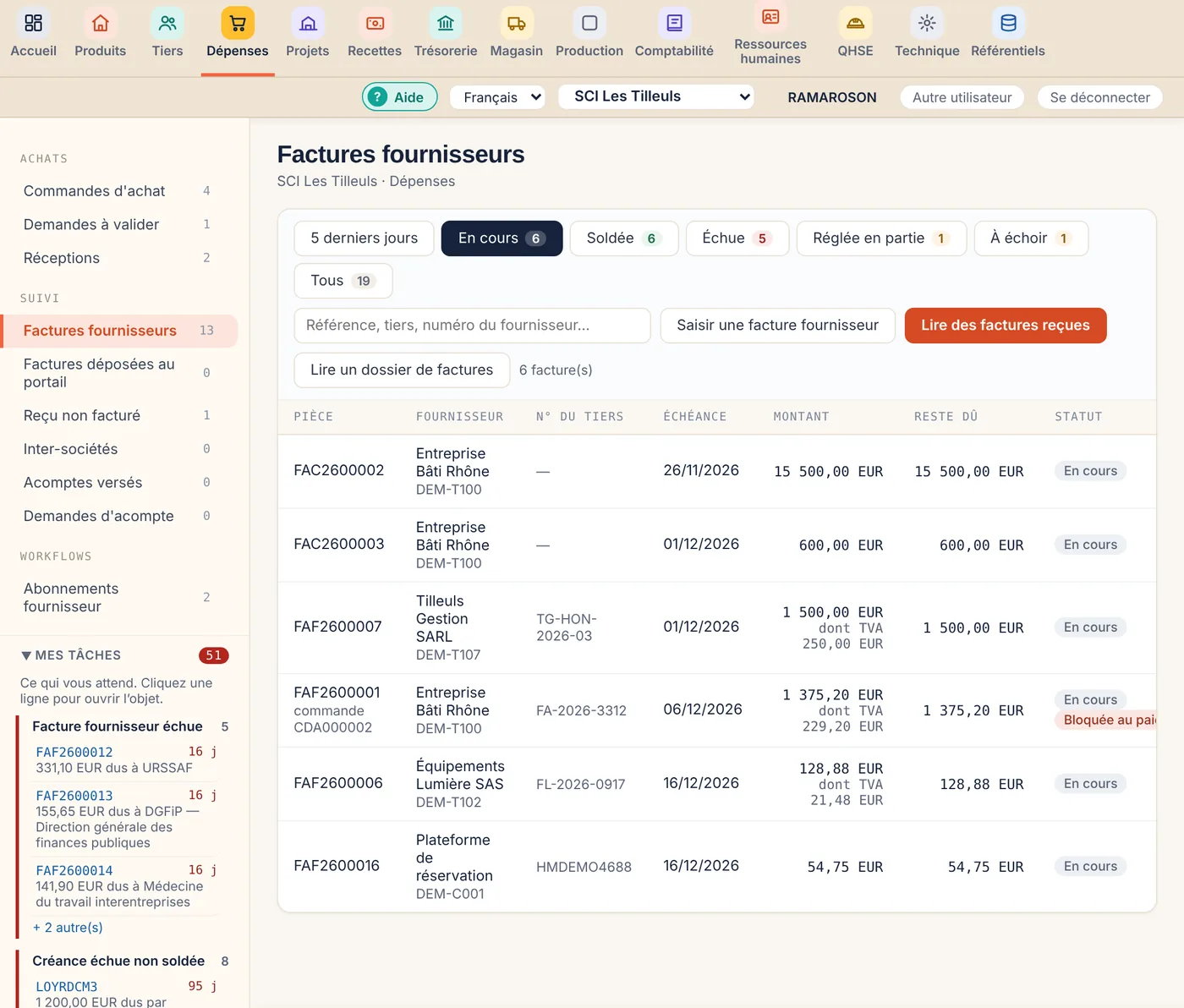
Open, overdue, partly paid, blocked for payment: every invoice shows where it stands and what is still due. Payment is then prepared in treasury.
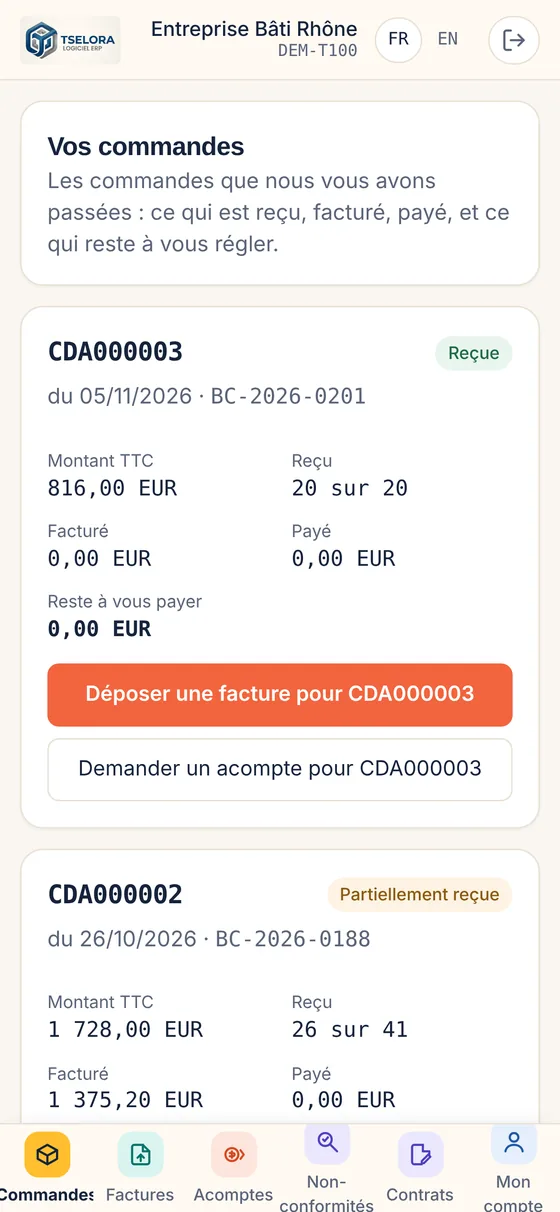
Suppliers see their orders and what has been received, invoiced and paid. They file their invoice against the right order or request a down payment, without writing to you.
You only open the modules you need. The others are waiting on the same account, with no new tool and no data migration.
Properties, leases, rent, service charges, receipts and short stays.
See the page →Production orders, actual costs, quality and safety.
See the page →Several entities and currencies, intercompany invoices.
See the page →The business management software that adapts to your activity.
See the full French site →No. An invoice can be entered or read without an order, and a simple receipt can be photographed. The order is useful when you want to check what was received before paying.
Yes. Warehouses are organised into divisions and locations, and every movement is tracked down to the item. Quantities come from receipts and deliveries, not from separate entry.
Yes. The supplier carries its currency, and the document keeps the original amount and its value in the company currency. The exchange difference is recognised at month-end revaluation.
A demonstration takes one hour, remotely, on Microsoft Teams, in English or French. Tell us about your business first so that it starts from your own figures.